Previously, Xaxxon Oculus Prime robots running Oculusprime Java required a web browser with the Flash plugin for remote control. Now that Adobe Flash is really no longer an option in the latest web browsers, remote control of the robot had become pretty much impossible (unless you’re running an old browser).
The latest software update uses webrtc tech for streaming video and audio, instead of Flash. Unfortunately, the previous OS that shipped with Oculus Prime robots, Xubuntu 16.04, doesn’t support webrtc (at least not the way we’re implementing it) — so a full system wipe and manual OS upgrade and software install is required.
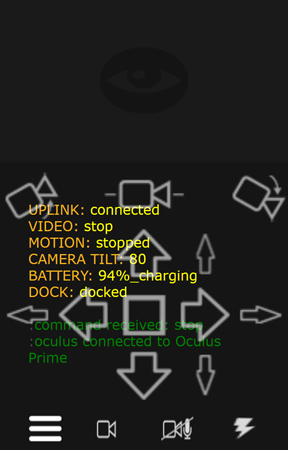
Aside from fixing video streaming, the update offers lots of minor under-the-hood fixes. A more obvious functionality bonus is the new mobile/phone web browser remote control:
This can be accessed by pointing your device’s web browser to the usual remote control URL, and adding '/mobile.html' at the end. For example:
http://192.168.0.111:5080/oculusPrime/mobile.html
If any questions or bug-fix suggestions, please contact us
The new Xaxxon OpenLIDAR sensor was mentioned a few times on robotics blogs recently (including adafruit and hackster), and there’s a thorough write up/interview on the 3D location technology website Spar3D.
The Spar3D article mentions the Oculus Prime accessory version, and here is a photo of what is hopefully the final version of that, installed:
This will be available soon; we’re still ironing out the software update that goes along with it. It drops the use of the depth camera for making maps and instead uses the lidar only (much faster and easier!). For auto-navigating, it simultaneously uses the lidar for localization, and the depth camera for detecting obstacles that are lower or higher than the lidar’s horizontal scanning plane (ie., otherwise invisible to the lidar).
OpenLIDAR Firmware Update
The firmware has had a few updates and is now at version 1.185. The code now uses a version of the Arduino I2C Wire library that allows a timeout parameter. Previously, if the Garmin LIDAR-Litev3 sensor failed to respond to a single I2C read/write request, it would cause the entire microcontroller to lock up, throwing a fatal ROS error and requiring a reset of PCB. There are six I2C read/write requests per sensor reading, so at 715Hz that’s 4290 per second… that’s lots of I2C requests to go wrong! The sensor and the stepper motor are running off the same power supply, so motor noise is likely one of the causes of rare I2C errors (even though the board design isolates the two as much as possible).
Now, instead of locking up, the I2C function will timeout after 1ms and the sensor will try the distance reading again.
You can see what version firmware the sensor has by running the ROS node with:
rosrun xaxxon_openlidar lidarbroadcast.py
The version will be output to the ROS log when the sensor connects. Alternatively, you can use the Arduino IDE terminal and enter the command 'y' to get the version.
To get the latest firmware, go into your xaxxon_openlidar Arduino sketch folder and do a 'git pull'
(or git clone from https://github.com/xaxxontech/xaxxon_openlidar_pcb.git if you don’t already have it).
Then upload to the board using the Arduino IDE.
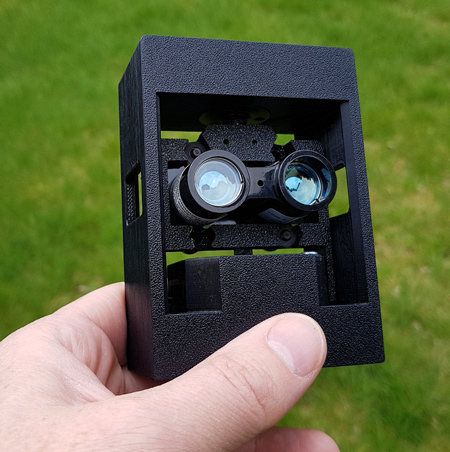
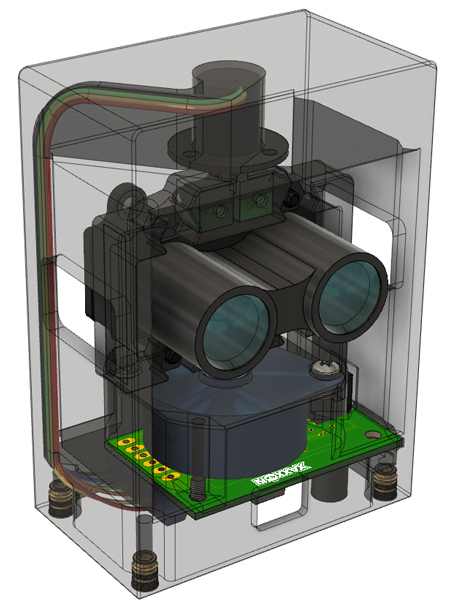
Here’s a couple pics and a short video of our latest product: the Xaxxon Open Lidar sensor! It’s a USB powered rotational laser scanner with open software and hardware, intended for use with mobile robots and simultaneous-location-and-mapping (SLAM) applications.
The sensor has a simple mechanical design, using the proven Garmin LIDAR-Litev3 laser distance measurement sensor, wired through a rotational slip ring, with stepper motor drive, two 3D printed frame parts, and an Arduino compatible PCB. Power and communication are delivered via USB cable.
Initial ROS drivers are up on Github, with dynamically configurable settings including:
-RPM (10-250, 180 default)
-Sample rate (up to 750Hz)
-Range limits (up to 40 meters, even in sunlight!)
We’re working on adding this unit to our online shop now, with all the details, circuit schematics, and printed part STL downloads. It will be available as a fully assembled and tested sensor, and a 3D-print-your-own kit.
Of course, there is also an Oculus Prime accessory version in the works!
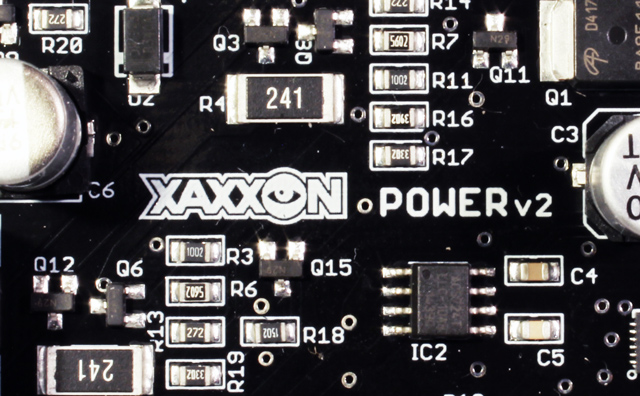
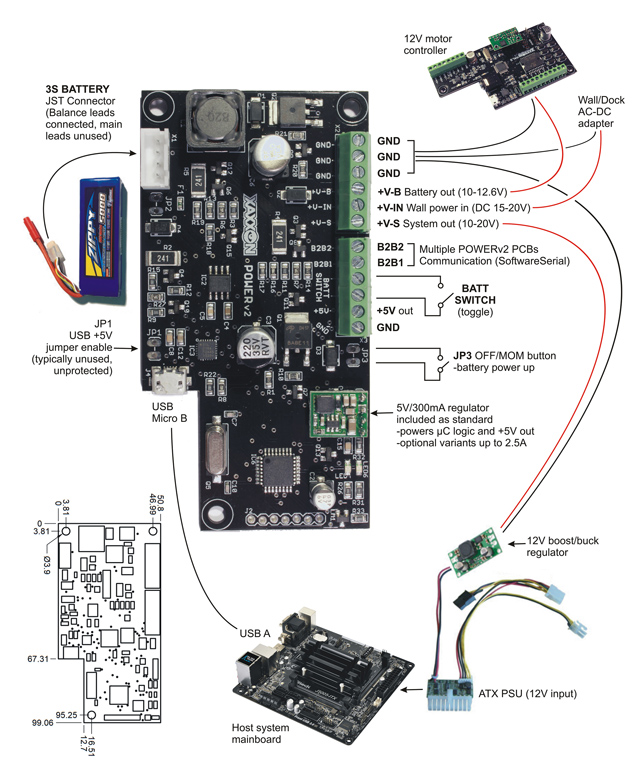
The first of a few NEW Xaxxon products for 2019 is the POWER v2 PCB!
This battery charging and system power management board adds new features to the 1st generation Xaxxon Power LiPo3S PCB, and fixes issues. Enhancements include:
No parasitic battery drain (ie., you no longer need to be careful about unplugging batteries when not using the system, which should lead to fewer premature pack deaths!)
Optional daisy-chaining of multiple boards and batteries for increased capacity
Second soft power shutoff mode added: you can now kill system power only, yet keep the 5V microcontroller alive (drawing very little power), and optionally bring system power back up after specified delay
Optional isolated battery-only power out (eg., for 12V motors to never experience high wall power voltages)
Higher wall power voltages accepted, up to 20V
Protection diode and 5A fuse now on-board, simplifying wiring
All new Xaxxon robots will be shipped with this board pre-installed, along with an Oculusprime software update that makes use of the second soft-power shutoff mode, to add a ‘drownproofing’ feature:
For lost robots that are unable to dock, with no remote help immediately available – instead of the usual powering down completely when the battery is depleted, the PCB will optionally power down the host system only, while leaving its microcontroller alive, then it will bring the host system back up every hour on the hour for 5 minutes, to see if any remote help is available.
The board is AVAILABLENOW for purchase from our web store, for general mobile robotics projects, and DIY mobile PC projects. The previous generation board is still available (on sale!) while supplies last.
Bonus for current Xaxxon robot owners: if you want to upgrade to this new board you’re eligible for a discount! If interested, please contact us
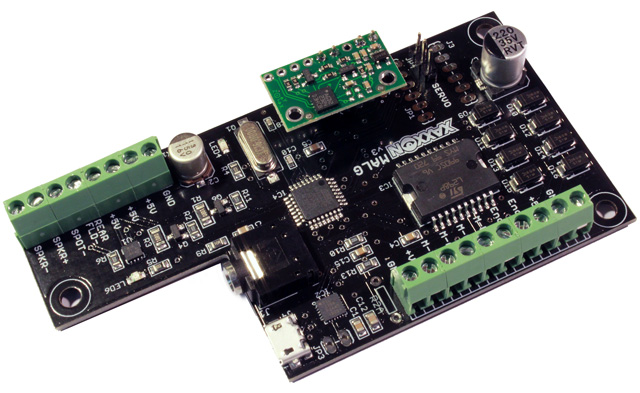
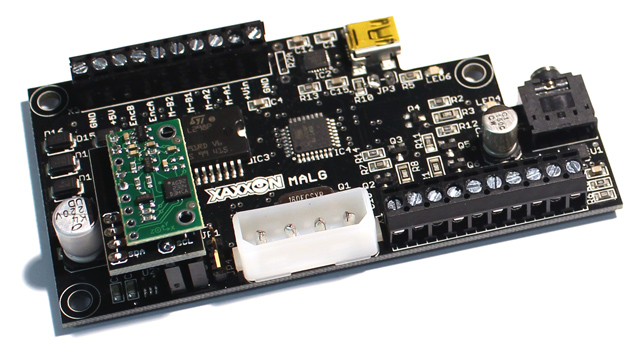
We’ve once again updated our multi function differential drive robot MALGPCB — it retains the same basic functionality with slightly improved microcontroller power decoupling/smoothing, and a few layout changes.
Gone is the ancient 4 pin Molex jack found in the previous MALG — apparently the original Molex ‘Mate-N-Lok’ style dates back to 1963! The Molex cable was being used simply as a way to get 5V power from a motherboard, and to not be limited by the 500mA maximum supplied through the USB cable. Instead, with the J4205-ITX and J5005-ITX motherboards supplied with Oculus Prime SLAM Navigator robots, we’re now running a single lead from the motherboards’ +5V pin found in its chassis speaker header.
For flexibility we’re staying with use of Pololu daughter boards for the gyro. As well there is now an alternate gyro header for optional use of latest generation Pololu gyros and IMUs.
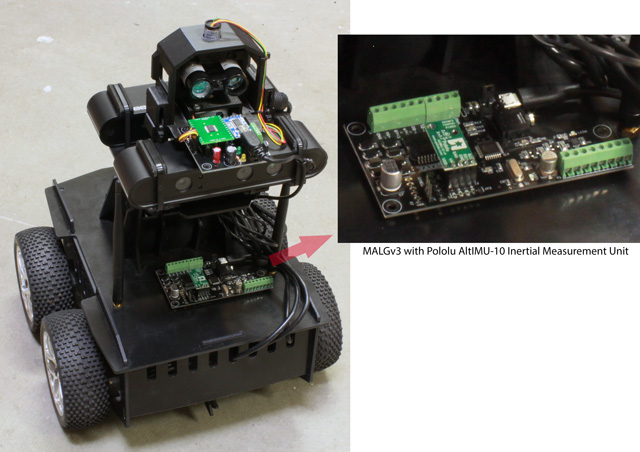
The photo below is of a heavily modified SLAM Navigator sporting a second MALGv3, equipped with a 9-DOF Pololu AltIMU-10:
The MALG (Motors-Audio-Lights-Gyro) multi function, Arduino compatible, differential drive robot PCB is back in stock!
Our remaining old MALGs had quality issues with their MAX21000 gyro ICs. So, otherwise perfectly good boards have been resurrected, with Pololu daughter boards sporting the L3GD20 three-axis angular rate sensor.
Performance-wise it seems there is no significant difference between the two gyros: by the specs the newer L3GD20 sensor has the edge, but they both ultimately provide super-accurate rotational odometry when used in mapping and auto-navigation. (The MALGPCB is standard equipment in our Oculus Prime mobile robots).
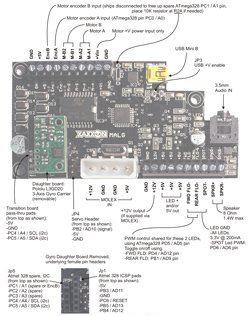
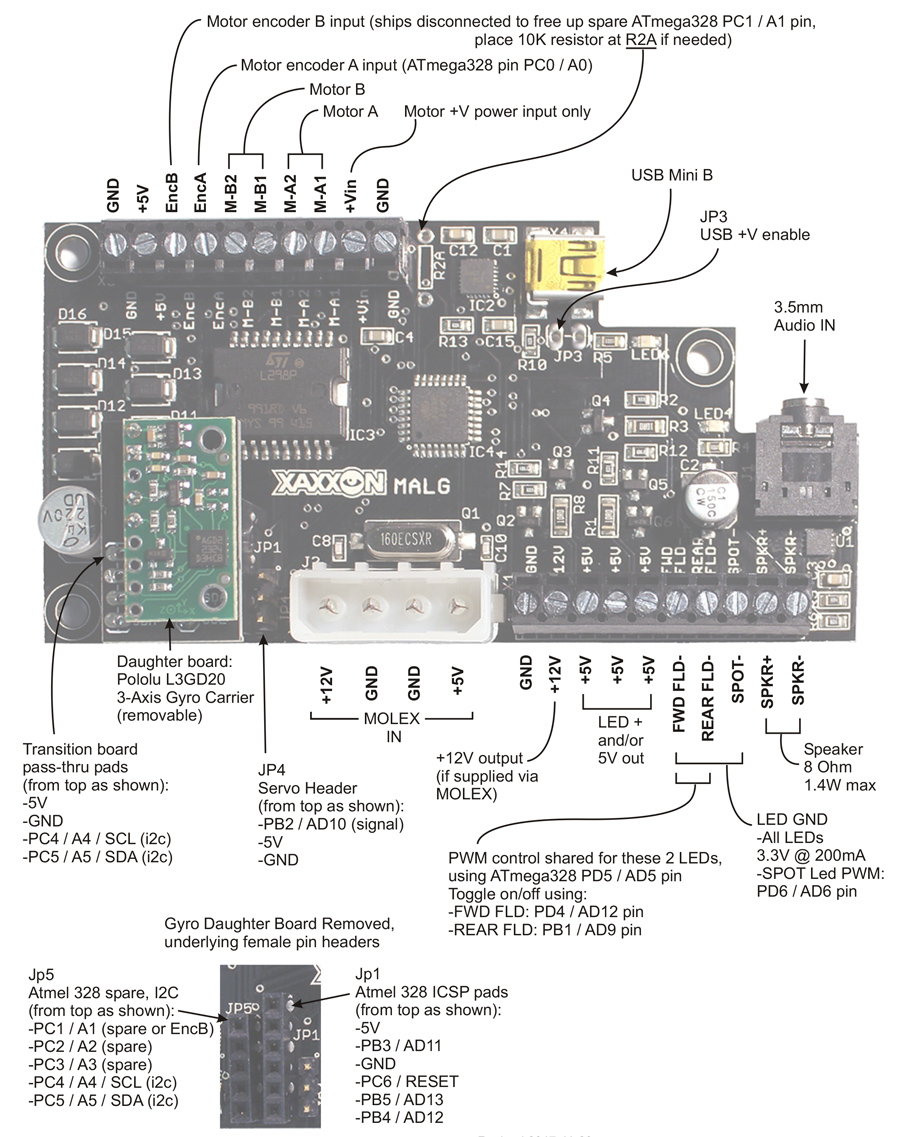
Expansion header pins that are occupied by the daughter board are still available via pass-thru pads on the underlying interface board, as detailed in the connection diagram:
Development and testing is now complete for the Relay Server software addition, which allows remote operation of Oculus Prime mobile robots connected to the internet via mobile 3G/4G/LTE networks. It also allows operation behind NAT firewalls, or on any network where there is no ability to configure and forward ports necessary for general internet remote access.
All that is required is to run an instance of the Oculusprime Server application on a device connected to an unconstrained network. This will act as the ‘relay’ server, which you then configure the robot to connect to. When you want to remotely connect to the robot, you connect to the relay server instead, which relays commands and video from the robot seamlessly. The server can be running on any Linux system, including a Raspberry Pi, or within a virtual Linux environment on a Windows or OS X PC.
Now you can equip Oculus Prime SLAM Navigator or Pi Explorer with a smartphone or mobile wifi hotspot, and see how far you get driving around outside, free from the limited range of a wifi network (in fair weather, of course!)
This addition to the Oculusprime Server application has been on the to-do list for a long time, but has been put off because, well, it required a lot of boring network programming. (There always seemed to be something more exciting to work on, like testing out the newly-opened-sourced Google CartographerROS package.)
Summary of enhancements to Oculusprime Server version 0.8:
Relay server
Expanded network menu
Wifi Access Point Manager upgraded to version 0.914
Red5 streaming media server upgraded to version 1.07
Apache Tomcat web server upgraded to version 8.0.33
Updated power PCB firmware (auto power-off at 30%, reduce false positive errors)
Added no-battery-connected indicator to web browser UI
Minor bug fixes, optimisations
For software update instructions, see here.
For more details on running the relay server, see here.
Java 8 is now recommended, which has to be installed manually, see here for upgrade instructions.